Agenda Google Play
A planner for Android

Your day in order,
your mind at ease.

Agenda keeps your appointments with both the Hijri and the Gregorian date, and reminds you of each one right on time. No ads, and your data never leaves your phone.

FreePremium is a one-time purchaseAndroid 7 and later

  • 2Calendars: Hijri and Gregorian
  • 6Ways to add an appointment, one sentence included
  • 4Home screen widgets
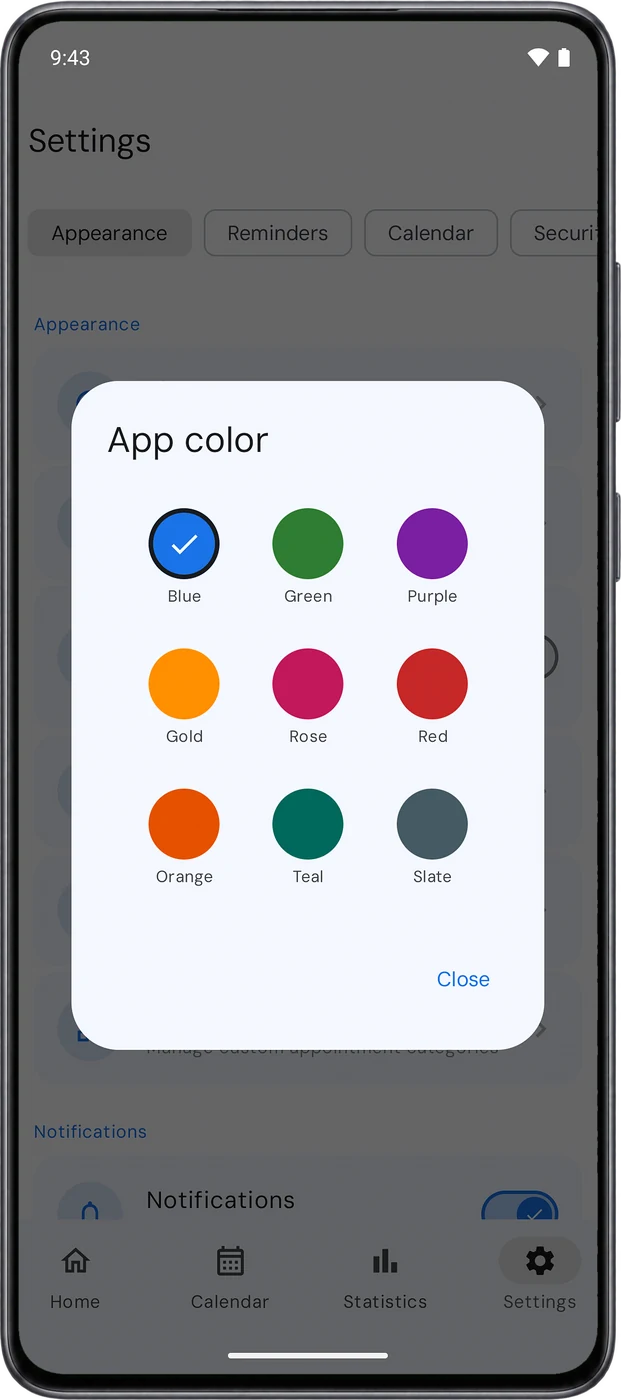
  • 9App colors, plus dark mode
  • 0Ads and trackers
A day with Agenda

From the first coffee to the last light.

07:00Morning summary

You start the day knowing what’s in it.

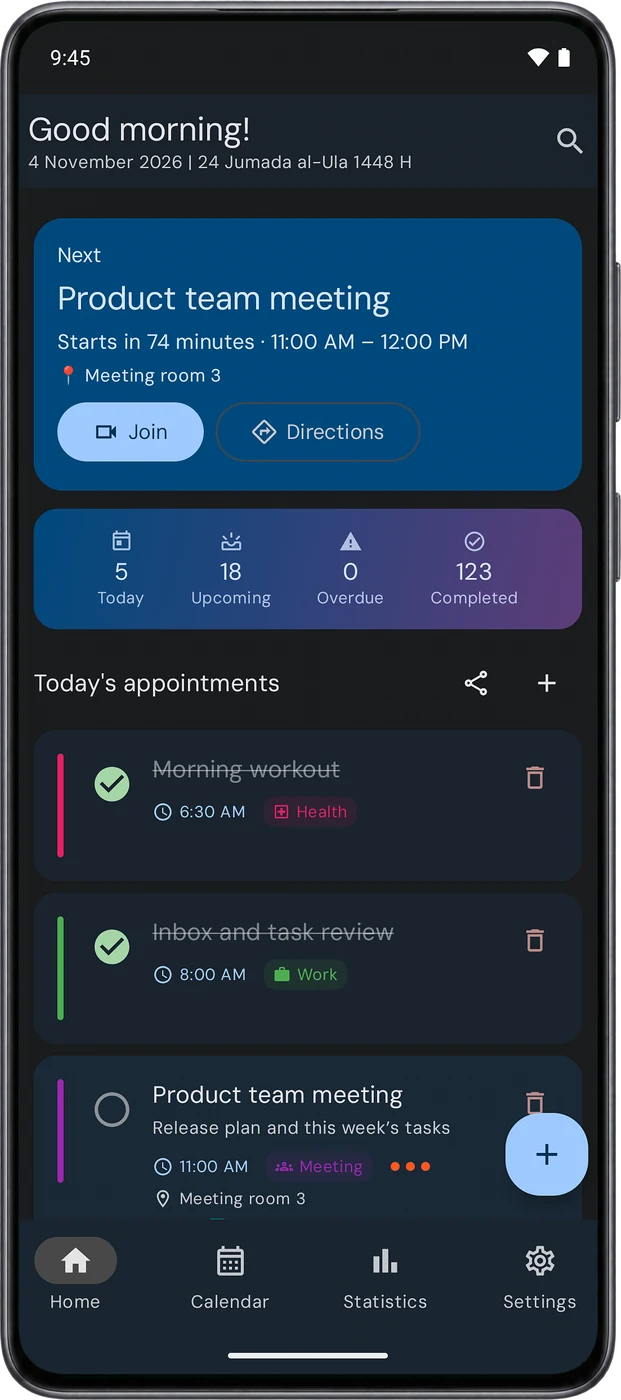
A summary of today’s appointments arrives in the morning. Open the app and you see what’s next and when it starts, then join the meeting or open directions with one tap.
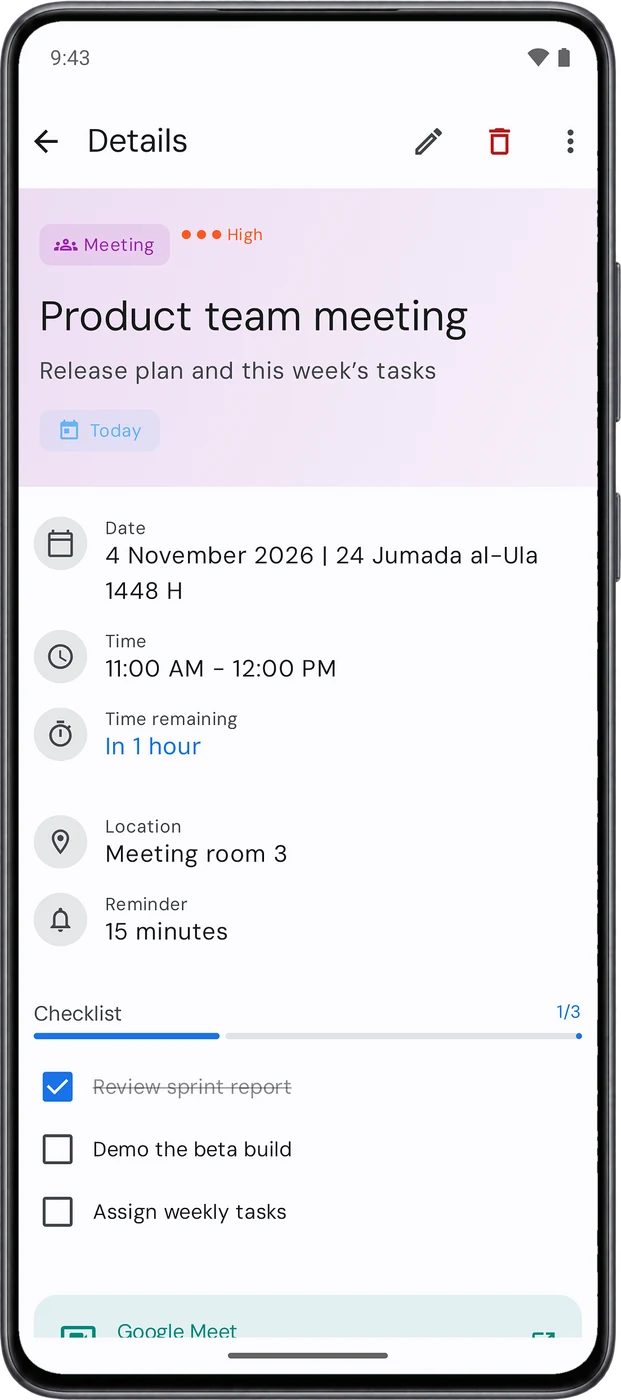
Details of the next appointment with a meeting link and a checklist
10:30A new appointment

You write it the way you’d say it.

One sentence is enough. Agenda picks out the title, date, time, repeat and category, and shows them to you before saving. You can also say it out loud, or share it from a message in any app.

“Eye doctor appointment Thursday at 5pm every month”
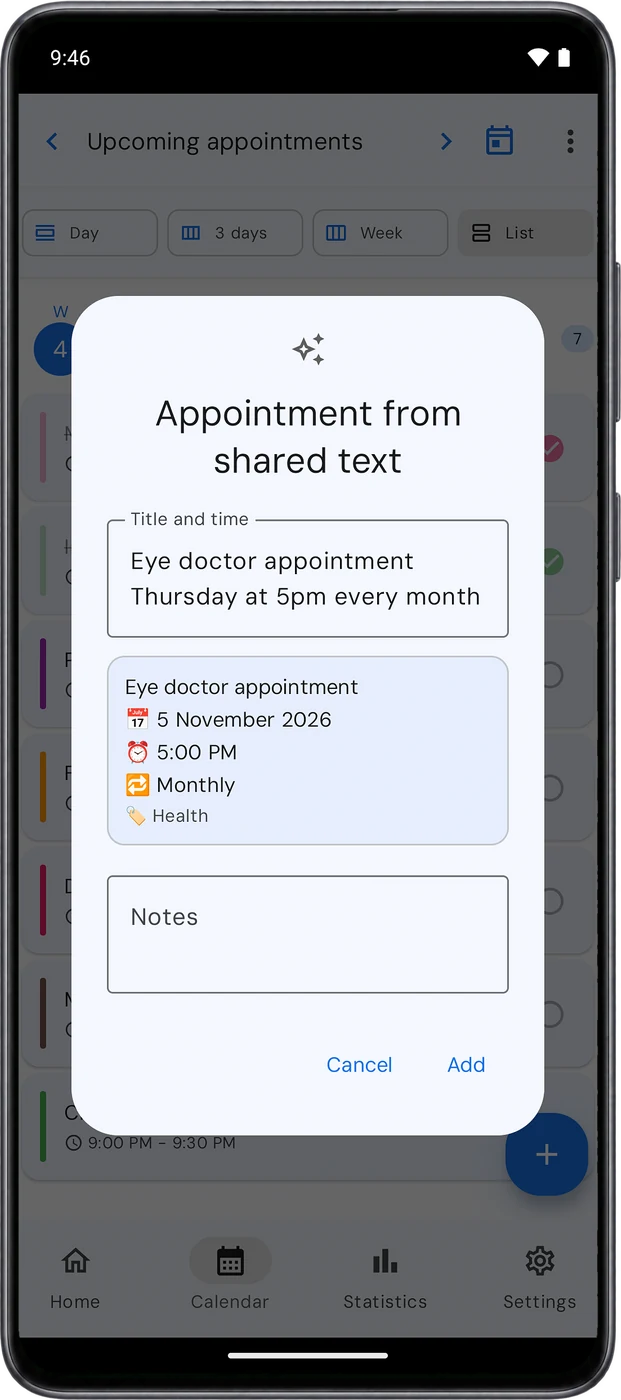
Smart input turning a sentence into an appointment
15:45The reminder

The reminder arrives on the minute.

Complete it or snooze it right from the notification. A built-in reminder check looks at your phone’s settings, so battery saving never delays something important.
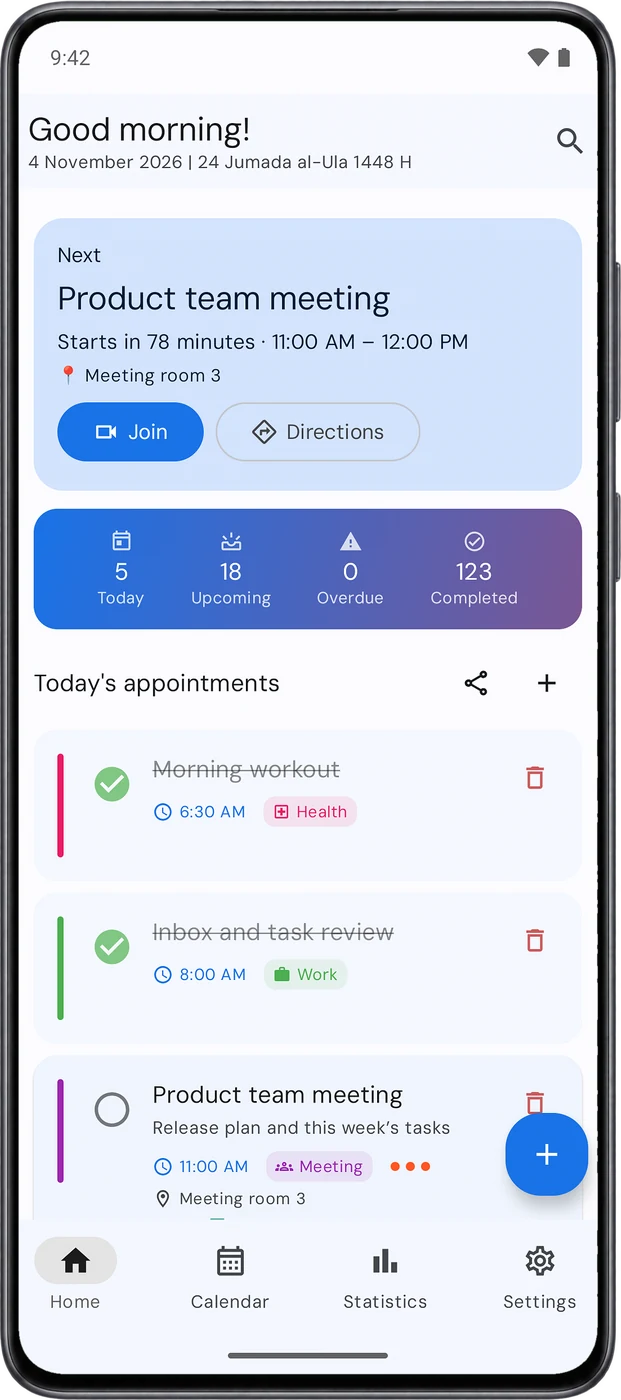
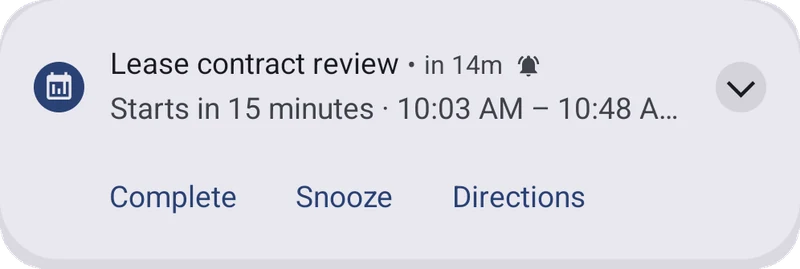
The Agenda home screen A reminder notification with Complete, Snooze and Directions
21:00A look at the week

You see what you got done, and what’s ahead.

Your completion rate, where your time went by category, and your busiest days. Then a glance at next week.
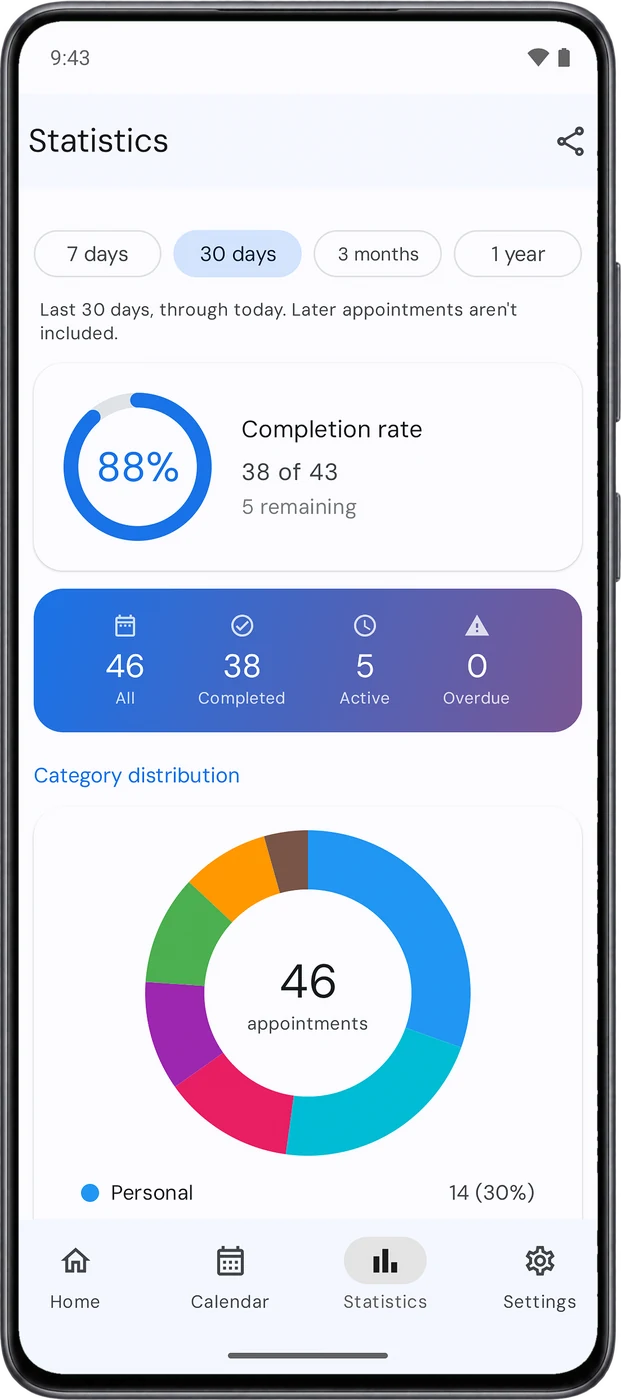
Statistics with the completion rate and category mix
Calendar

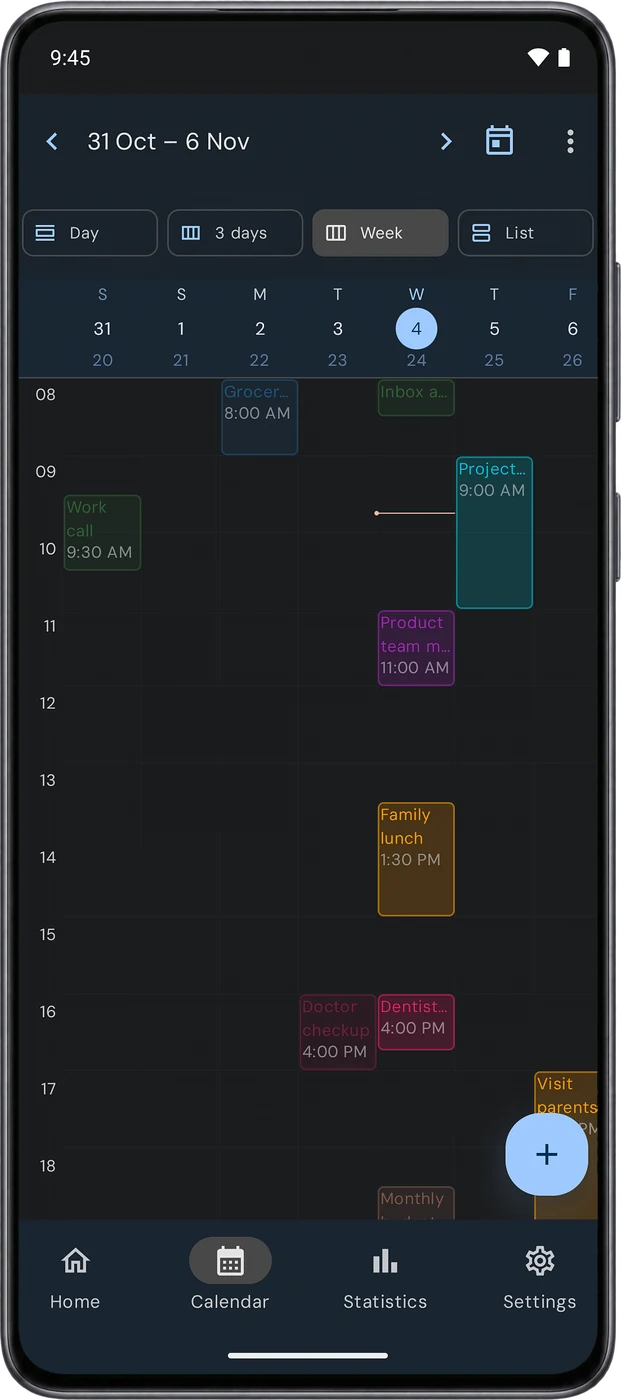
Four ways to see your time.

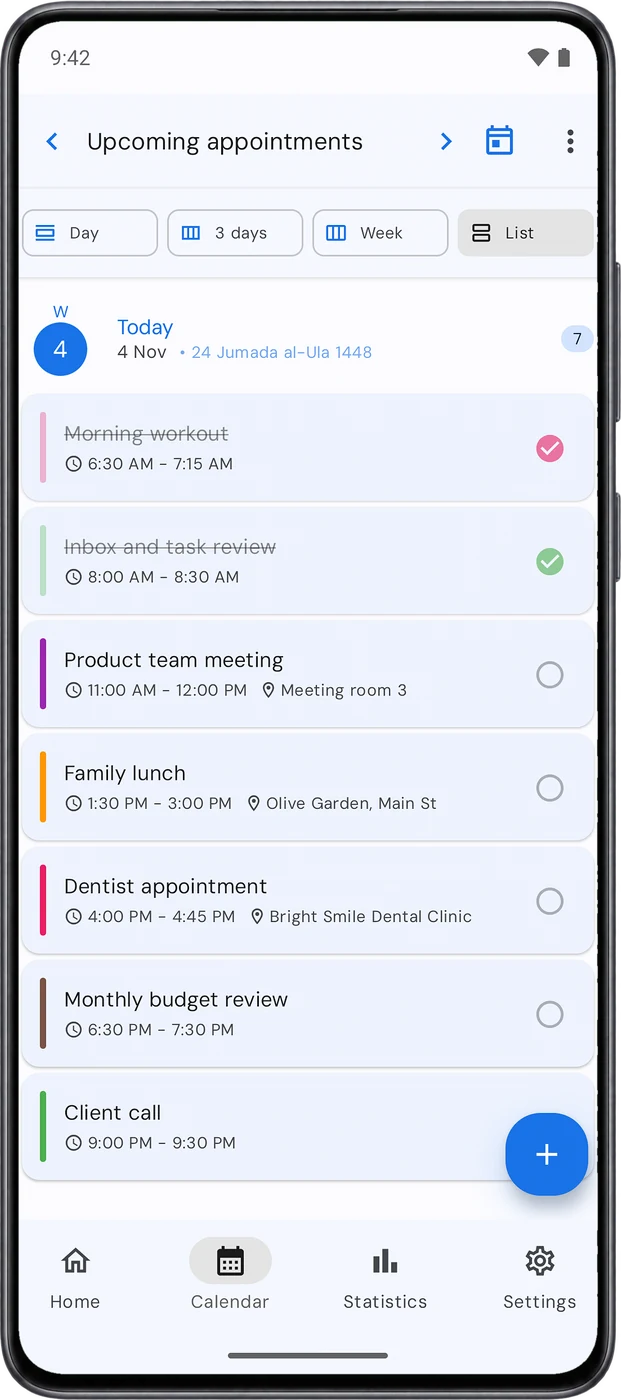
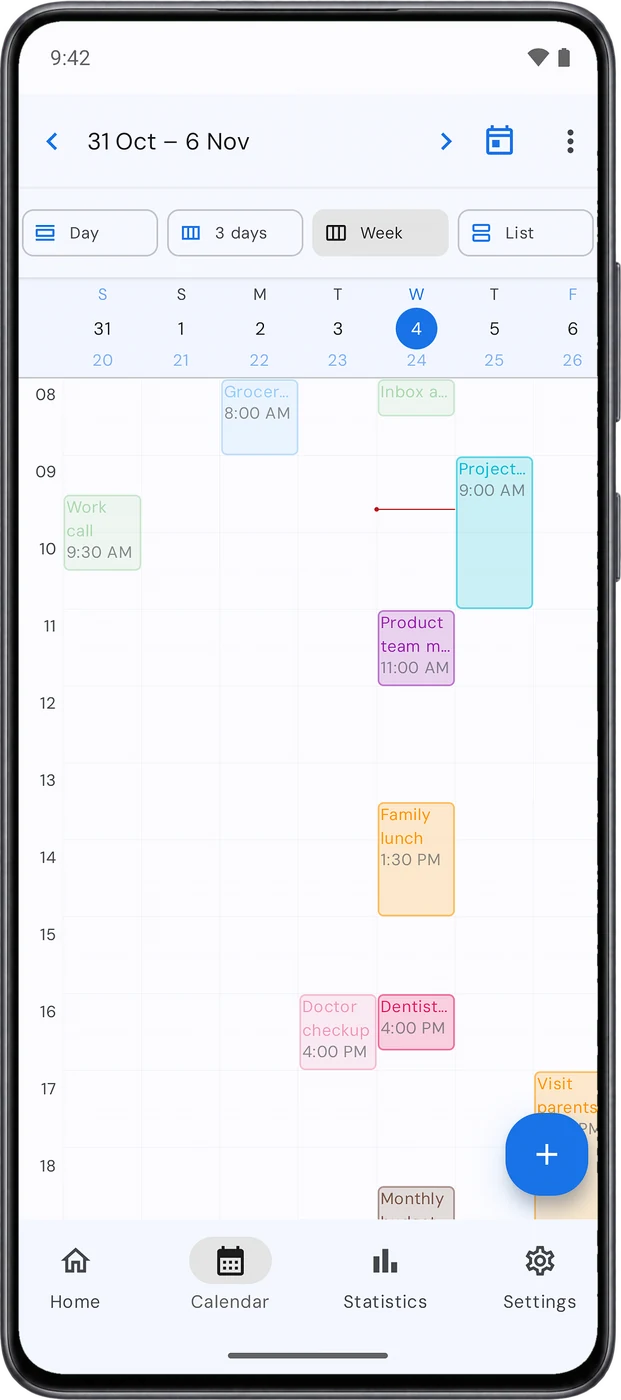
Day, 3 days, week or list, with the Hijri day under every Gregorian date. Drag an appointment to change its time, or export the week as a print-ready PDF.
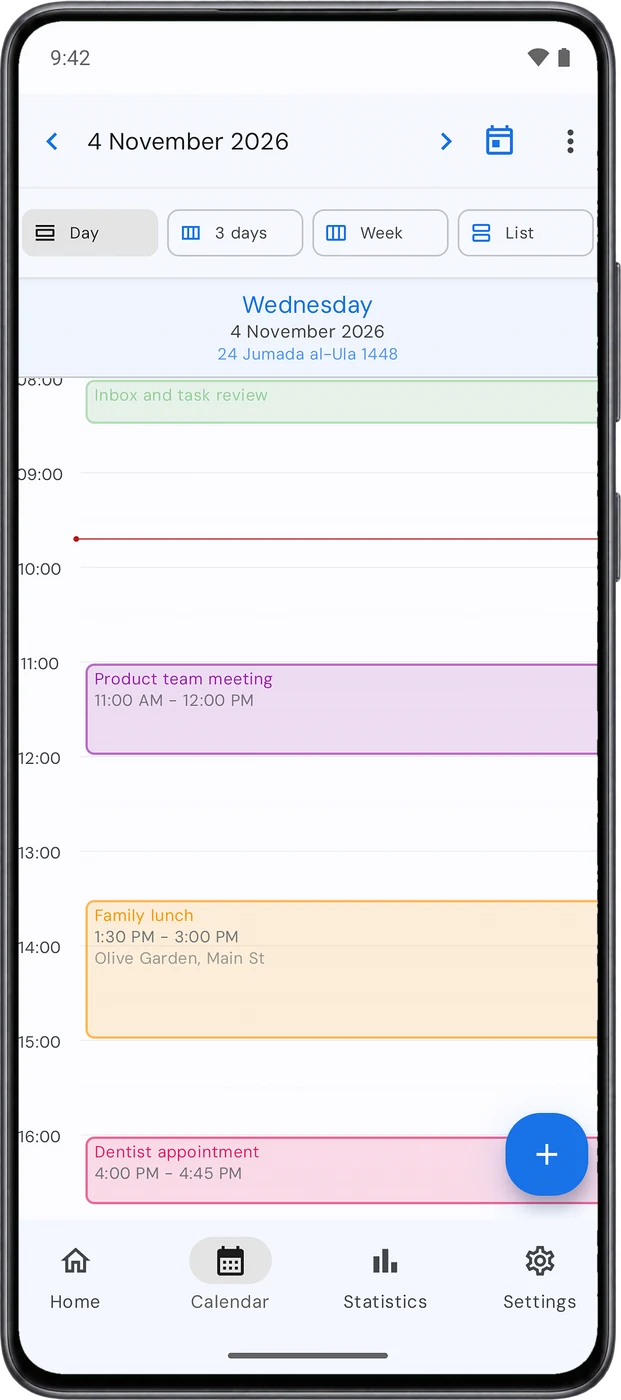
Day view
Day
Week view
Week
List view
List
Hijri and prayer times

On your calendar,
and around your prayers.

  • Both dates everywhere: home, calendar, details and widgets.
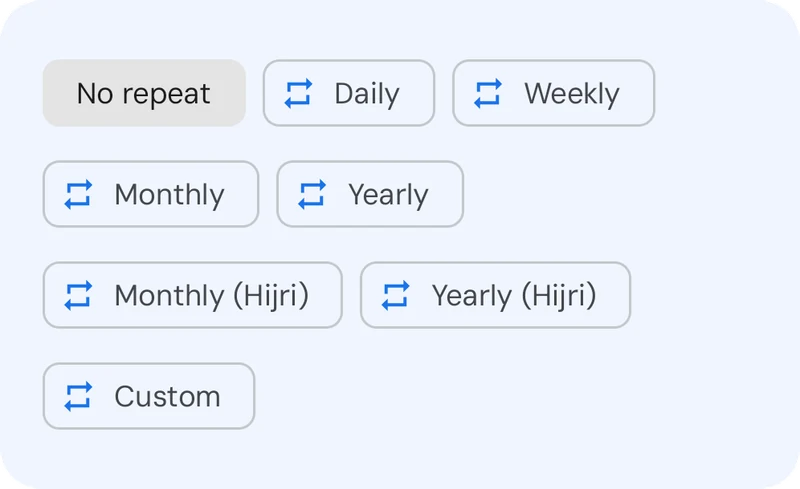
  • Hijri repeats, monthly and yearly, so an appointment lands on its Hijri day every time. Premium
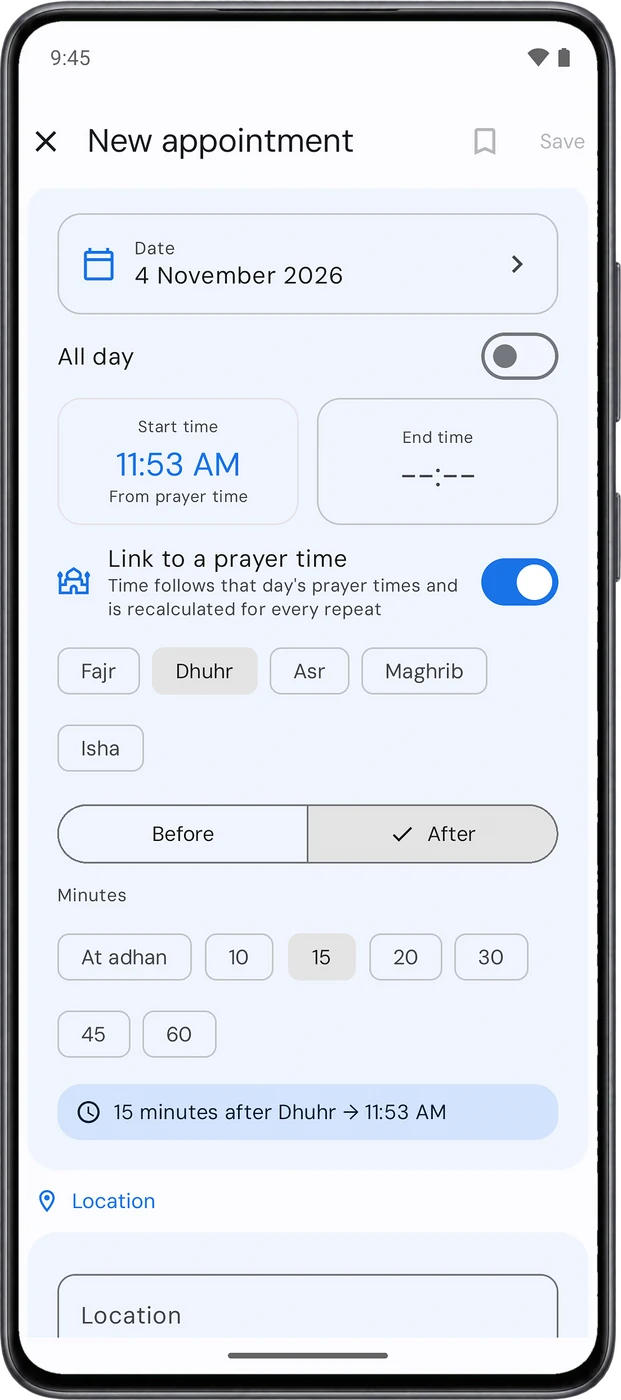
  • Prayer-linked times, like “15 minutes after Dhuhr”, recalculated for every day. Premium
  • During Ramadan, a summary before Fajr and an alert when an appointment clashes with iftar or Friday prayer. Premium
  • Prayer times on Home, for both Sunni and Shia schools.
An appointment linked to Dhuhr prayer Repeat options including Hijri
Widgets

Your week on your home screen.

No need to open the app to know what’s next.
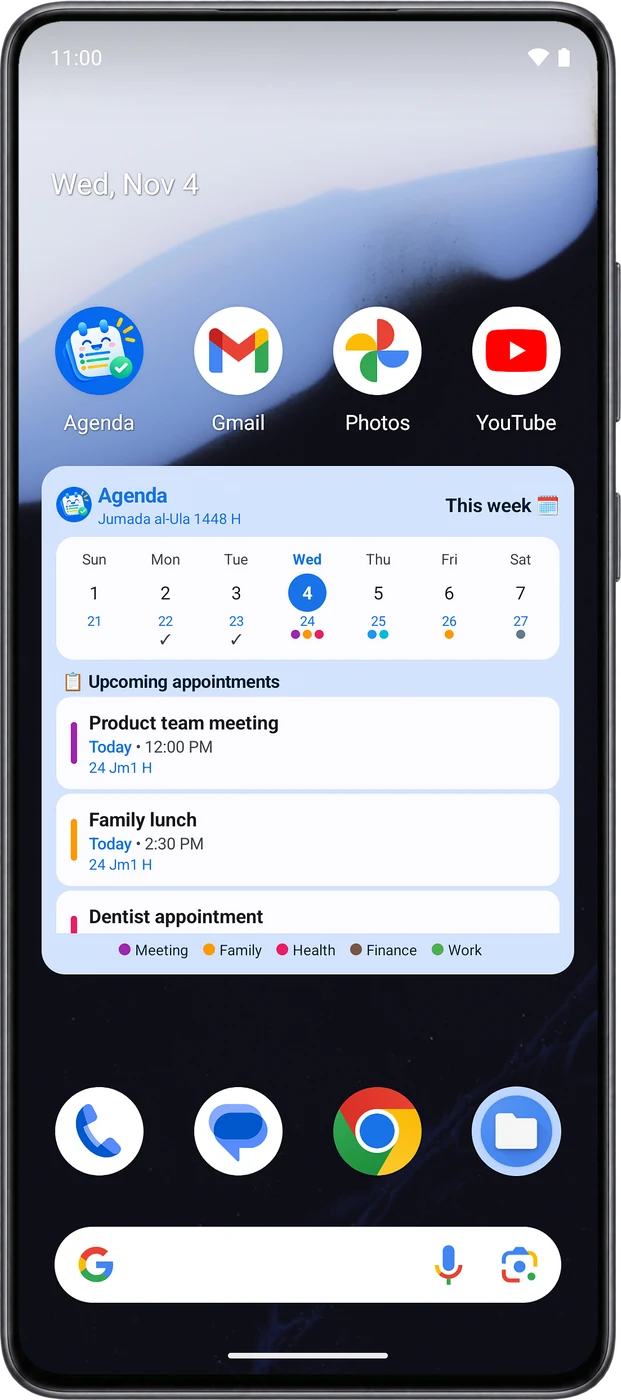
Week view4×2 Today’s appointments4×2 Countdown2×2 Quick add2×1
The week widget on the home screen
Appearance

Made comfortable for you.

Nine app colors, a true dark mode, or colors taken from your wallpaper. Font size and language are up to you too.
Privacy

Your appointments never leave your phone.

No account, no server, no ads. What you write in Agenda stays with you.

On your phone only

Appointments and settings live in the app’s private storage and are never uploaded to a server.

PIN or fingerprint lock

A 4 to 6 digit PIN or your fingerprint, and screenshot blocking if you want it.

Encrypted backups

Free manual backups, and Google Drive backups encrypted with a password only you know.

No ads, no tracking

No advertising or analytics libraries. We don’t know anything about you.

Read the full privacy policy

Free and Premium

The essentials are free. The rest is one purchase.

No subscription. Buy Premium once and it’s yours for life.

Free

Everything you need to plan your day

  • Up to 15 upcoming appointments at a time
  • Reminders, morning and weekly summaries
  • Hijri calendar and all four views
  • Smart input, voice input and templates
  • All four widgets and statistics
  • Prayer times on Home
  • App lock, manual backup and restore

Completed appointments don’t count toward the limit, and a repeating appointment counts as one. If you used a version before 1.1, your limit is 30.

Agenda Premium

One-time purchase, for life

  • Unlimited upcoming appointments
  • Hijri and custom repeats
  • Appointments linked to prayer times
  • Ramadan mode: pre-Fajr summary, iftar and Friday alerts
  • Daily automatic backup
  • Encrypted Google Drive backup
FAQ

Before you download.

Do I need an account?
No. Open the app and start. Signing in with Google is only needed if you want backups in Google Drive.
Is it available in Arabic?
Yes, fully in Arabic and English. It follows your phone’s language, or you can pick one in Settings.
What if a reminder arrives late?
Some phones delay apps to save battery. Open Reminder health in Settings: it shows what needs fixing and can send a test reminder.
How do I move to a new phone?
Use Android’s phone-to-phone transfer, restore a backup on the new phone, or use Google Drive with Premium.
The Hijri date is one day off for my country.
Fix it in Settings with Hijri date adjustment, under Calendar.

Every step and question in the guide

Plan your day, starting today.

Agenda is free on Google Play.

Get it on Google Play